Table of Contents
ToggleHow to Check PPF Balance Online (2026): SBI, Post Office & Banks
If your PPF was opened years ago and then “school life” happened, you’re not alone. Checking it once or twice a year is good financial hygiene—and once you know how to check PPF balance, it’s genuinely quick. In fact, many teachers realise the importance of checking their PPF balance only when they start planning withdrawals or next steps after maturity. That’s why understanding both how to check your balance and the PPF Rules for Withdrawal (2026): How & When You Can Withdraw Your Money Safely together helps you avoid last-minute surprises.
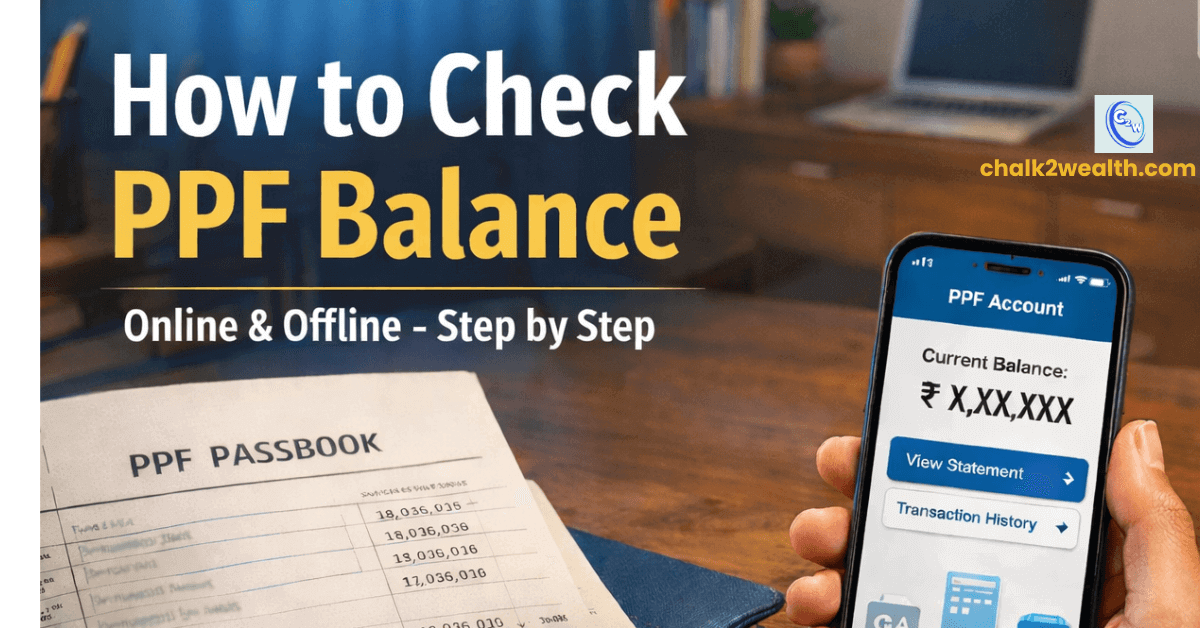
How to Check PPF Balance: 4 Practical Methods You Can Use Today
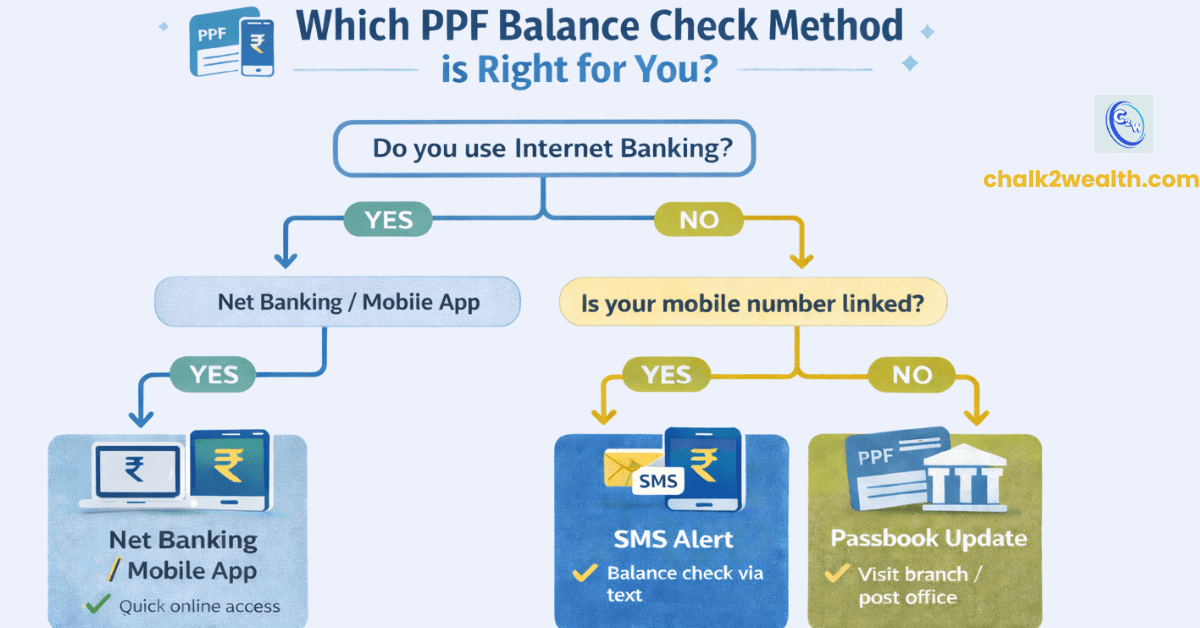
Pick the method that fits your situation best — these are simple, proven ways to check your PPF balance both online and offline.
Method 1: Net Banking (SBI, HDFC, Post Office)
Best for: Users with an active internet banking account.
Log in to your bank or Department of Post (DoP) internet banking portal. Navigate to Accounts / Deposits → PPF / Small Savings to view your PPF summary or full statement.
Tip: If the PPF tab is missing, your account may not be linked (common for older PPFs).
For SBI users, visit your branch and request linking your PPF to your internet banking for online access.
Many teachers first check their PPF balance online when they are planning a withdrawal. Understanding the PPF Rules for Withdrawal (2026): How & When You Can Withdraw Your Money Safely at this stage helps you avoid unnecessary delays or mistakes.
2: SMS Alerts (Bank-Specific)
Best for: Users with mobile numbers linked to their PPF account.
Some banks allow basic balance checks via SMS:
Example (SBI): Send
BALto 9223766666 from your registered mobile number.
You’ll receive the latest cleared balance. For full transaction history, use internet banking or your physical passbook. (SMS facilities vary by bank. Always confirm the correct number on your bank’s official website.)
Method 3: Passbook Update (Offline Option)
Best for: Users without online access.
Carry your physical PPF passbook to your bank branch or post office for an update or printout.
This method is still widely used — especially for post office PPF accounts, where digital access may be limited.
If your passbook shows your PPF nearing maturity or completing 15 years, it’s worth revisiting the basics of Investing in PPF: 8 Smart Things to Know Before You Start before deciding your next step.
Method 4: Mobile Banking Apps
Best for: App users with bank-linked PPF accounts.
Most major banks (e.g., ICICI, SBI, HDFC) list PPF accounts under My Deposits / Small Savings in their mobile apps. You can check both mini and full statements.
Note: IPPB mobile app doesn’t support cumulative PPF balance viewing. Use DoP eBanking or your passbook for those accounts.
Why Many Teachers Struggle With How to Check PPF Balance Online
If you’re trying to understand how to check PPF balance online and nothing shows up after logging in, it’s usually due to one of these reasons — and it’s not your fault:
1. PPF Account Not Linked to Customer ID / CIF
In many post office and older bank accounts, the PPF was never mapped to the Customer ID (CIF). Because of this, even if you know how to check PPF balance online, the account remains invisible.
DoP insight: Invisible post office PPF accounts often require the home branch post office to manually map the CIF, especially in rural areas. Many teachers discover this issue only when their PPF completes 15 years or is close to maturity, which is why understanding the PPF Extension Rules 2026: What Investors Should Do After 15-Year Maturity becomes important along with checking the balance.
2. Very Old PPF Account Not Yet Digitised
Banks like SBI note that some older PPF accounts don’t appear online because they aren’t part of the bank’s central system (“master”). This makes it difficult to check PPF balance online despite correct login details.
Fix: Carry your PPF passbook to the bank or post office and request linking or mapping. Once updated, checking your PPF balance online becomes quick and easy.
When and Why You Should Check Your PPF Balance (Before Withdrawals or Extensions)
As per PPF rules notified by the Ministry of Finance, PPF interest is calculated monthly but credited annually after March 31 at the end of the financial year . Knowing how to check your PPF balance is only part of the picture — it’s also important to know when to check it. Many teachers realise this only when they start planning their child’s education or completing retirement paperwork. Here are the key moments when checking your balance really matters:
1. Right After April Each Year
While PPF interest is calculated monthly, it’s credited only once a year — after the financial year ends on March 31st..
Tip: Check your balance in April to see your new interest added.
2. Before Any Withdrawal or Loan
Whether you plan to make a partial withdrawal or apply for a PPF loan, don’t rely on assumptions.
Tip: Always check your latest balance to know exactly what’s available.
3. Before Deciding to Extend After 15 Years
When your PPF matures after 15 years, you can withdraw, extend with contributions, or extend without contributions.
Tip: Check your balance beforehand to make an informed decision.
Also read: [PPF Withdrawal Rules] and [PPF Extension Rules]
Common Mistakes Teachers Make While Checking Their PPF Balance
Even if you’ve figured out how to check your PPF balance, small misunderstandings can trip you up. Here are some common mistakes teachers often make — and how to avoid them:
1. Expecting Monthly Interest Updates: PPF interest is calculated monthly but only credited at the end of the financial year (March 31st). It’s normal for your balance to stay unchanged for months.
2. Mixing Up the Financial Year With Calendar Year: Many users confuse April–March (financial year) with January–December. For PPF, all interest, tax benefits, and maturity timelines follow the financial year, not the calendar year.
3. Not Reporting Mismatches Early: If your online PPF balance doesn’t match your passbook or expected interest, it could be a linking issue or data lag. Report any mismatches early to your branch to avoid trouble later.
Final Reminder: Set a yearly reminder: Because honestly, how to check PPF balance matters less than actually checking it regularly — especially before key financial decisions.
FAQs on How to Check PPF Balance
How to check PPF account balance if it doesn’t show online?
If your PPF account balance doesn’t appear in net banking or a mobile app, it usually means the account is not linked to your Customer ID (CIF) or is part of an older, non-digitised PPF account. To fix this, visit your bank branch or post office with your PPF passbook and ID proof and request CIF linking or account mapping. Once linked, you can easily check your PPF account balance online through net banking or the bank’s mobile app.
How to check PPF balance online?
You can check your PPF balance online through your bank’s net banking or mobile banking app. Log in, go to Accounts / Deposits → PPF / Small Savings, and view your balance or statement. For post office PPF accounts, use DoP eBanking after linking your account.
How to check PPF balance in SBI online?
To check your PPF balance in SBI online, log in to SBI Internet Banking (YONO Net Banking) using your username and password. Go to Account Summary → PPF Account, where your PPF balance and statement will be displayed. If your PPF account is not visible, visit your SBI branch with your PPF passbook and ID proof and request CIF linking to enable online access.
How to check PPF balance in post office?
You can check your PPF balance in a post office by updating your PPF passbook at your home post office or any CBS-enabled post office. If your account is linked to DoP eBanking, you can also check the PPF balance online after logging in. For older post office PPF accounts that don’t appear online, visit the post office with your PPF passbook and ID proof and request CIF linking to enable digital access.